Premium deer hunting intelligence

Stop guessing where to hunt. Start understanding why a stand is right today.

BuckVisionAI is designed to turn map layers, terrain structure, weather shifts, trail camera activity, and pressure signals into one clear plan: where to scout, where to sit, when to move, and why it matters.

HuntScore guidance Trail Camera AI Stand optimization Terrain intelligence
Built to answer Where should I hunt today?
Built to explain What data is driving that recommendation?
BuckVisionAI app screens and hunt dashboard mockups
Tonight HuntScore 84 North Ridge Funnel • 5:18–6:35 PM
Why it looks strong Cold front drop • Favorable wind • Mature buck activity
Maps + conditions + movement All connected instead of scattered across separate tools
Scout faster See likely travel structure, access routes, and pressure-sensitive zones
Hunt smarter Understand stand fit, timing windows, and why a sit is worth your time
How BuckVisionAI works

A guided hunt plan, not just more layers to look at.

BuckVisionAI is meant to act like a hunting intelligence layer on top of the maps and information hunters already use. It organizes the inputs, scores the opportunity, and explains what the hunter should do next.

01

Read the property

Terrain, access, bedding edges, funnels, food, water, pressure, and structure are organized into a property-level understanding.

02

Read the conditions

Wind, weather, temperature change, movement windows, recent sightings, and camera activity shape the daily outlook.

03

Deliver the plan

The hunter sees a clearer recommendation: best stand, best route, best time, strongest alerts, and the reasons behind it.

Why this feels different

Most hunting apps show data. BuckVisionAI is built to interpret it.

A hunter should not have to bounce between map layers, weather apps, trail camera folders, and memory just to decide where to sit. BuckVisionAI is being shaped around clearer decisions.

Typical experience

  • Separate maps, weather, and trail camera info
  • Photos without real interpretation
  • Unclear stand choice for today
  • More information, not necessarily more confidence

BuckVisionAI experience

  • One hunt view that connects the important signals
  • AI summaries around movement and timing
  • Stand recommendation with entry and exit logic
  • Clear explanation of what is driving the plan
Core experience

The screens and features hunters need to understand immediately.

These are the parts of the product that make BuckVisionAI feel useful fast, both for private land and for new properties or public ground.

Daily decision layer

HuntScore dashboard

See the day’s overall opportunity, movement expectations, best window, and strongest stand recommendation in one place.

  • Quick confidence snapshot for the day
  • Best stand and time window
  • Short reasoning summary
Scouting intelligence

Terrain and map analysis

Spot funnels, pinch points, ridge transitions, creek crossings, bedding influence, and likely travel corridors across the property.

Camera intelligence

Trail Camera AI

Turn image piles into useful activity summaries, timing trends, target buck profiles, and movement patterns.

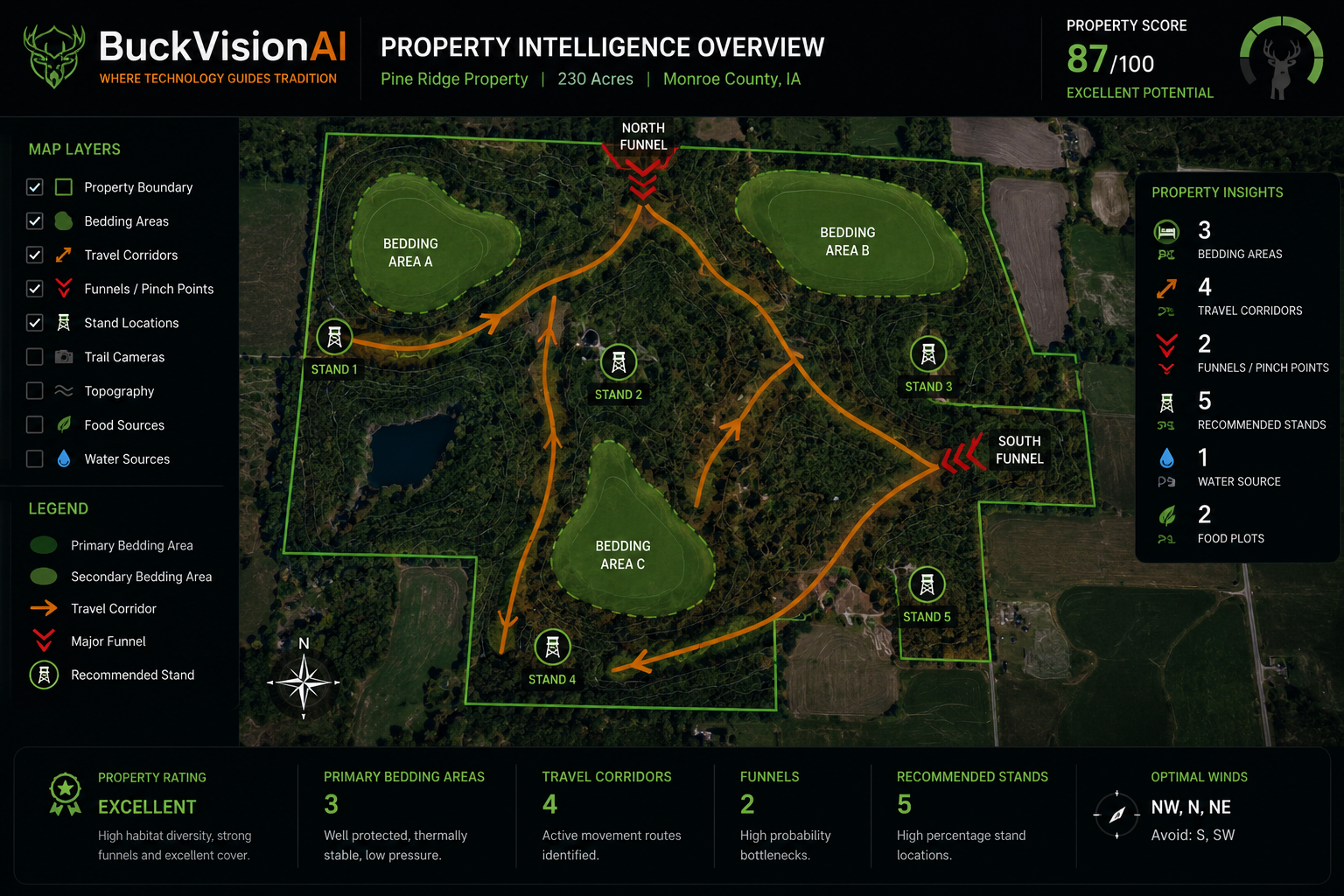
BuckVisionAI app screen composite BuckVisionAI dashboard and property screens
Execution

Stand optimization

Recommend not just a stand, but a route, risk level, wind fit, and when it makes sense to enter or stay out.

Actionable updates

Smart alerts

Notify the hunter when mature buck activity changes, conditions improve, or a window becomes stronger than expected.

Bigger vision

Land intelligence and planning

Connect hunt strategy with drone scans, LiDAR, habitat planning, and long-term property understanding.

Interactive demo

Walk through the app screen by screen like you’re actually using it.

The guided demo shows each major screen, what the hunter sees, what information is being used, and how that screen helps with scouting, planning, and making a hunt decision.

Tap through the dashboard Explore property map logic See trail camera AI summaries Understand stand recommendations
BuckVisionAI multiple high fidelity app screens
What BuckVisionAI looks at

The recommendation should feel earned, not random.

To trust a hunt plan, the hunter needs to know what is feeding it. BuckVisionAI is built around combining the kinds of signals hunters already care about most.

Wind direction and fit Weather trends and temperature shifts Terrain shape and travel structure Trail camera detections Recent movement timing Pressure and access routes Target buck history Stand safety and scent exposure
What the hunter gets

A simpler answer to the question: is this sit worth it, and what setup gives me the best advantage today?

How it helps scouting

Faster understanding of likely bedding influence, travel routes, terrain leverage, and where to spend time first on a new property.

How it helps planning

More confidence around when to move, when to stay out, and how to match a stand to specific conditions instead of hoping it works.

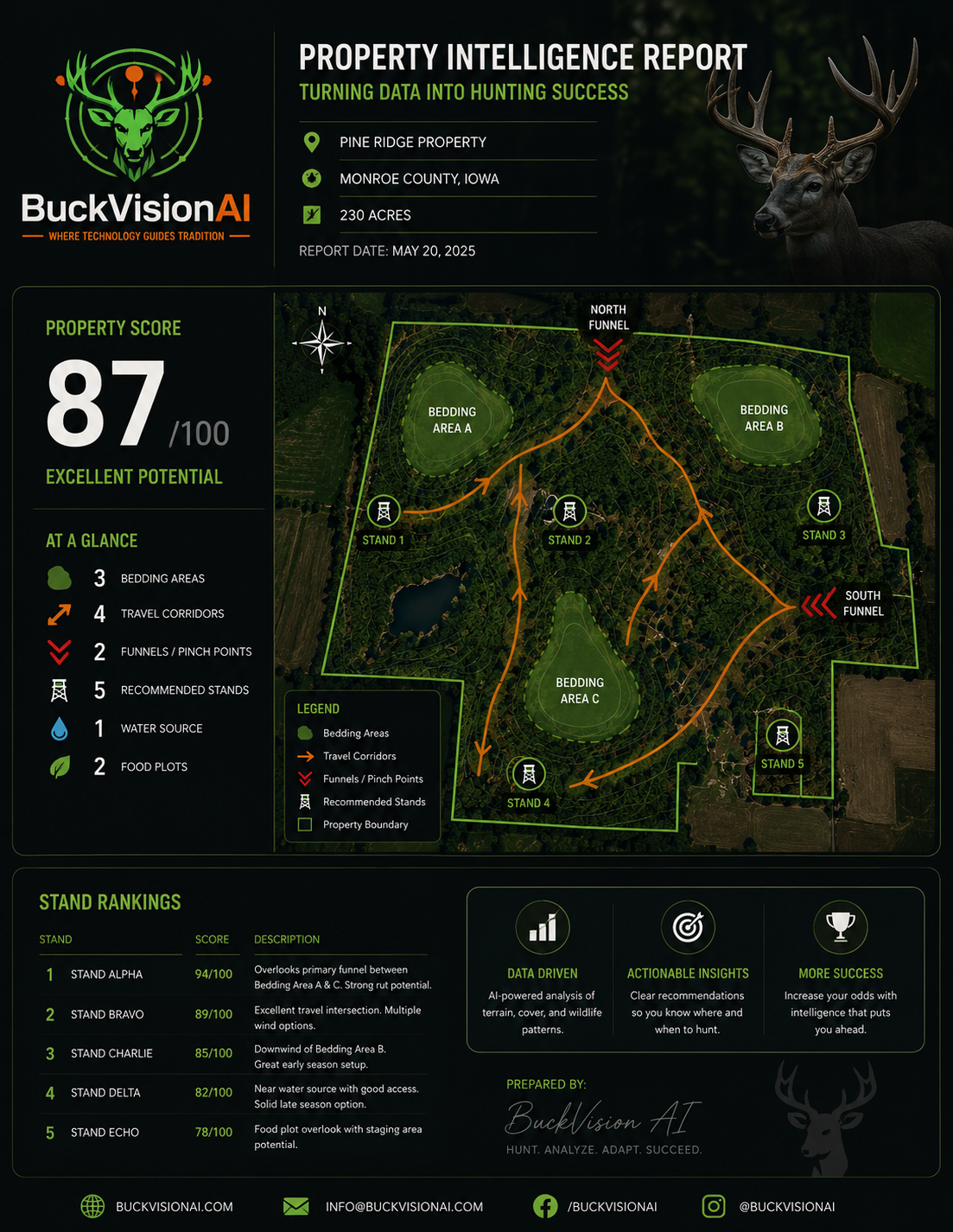
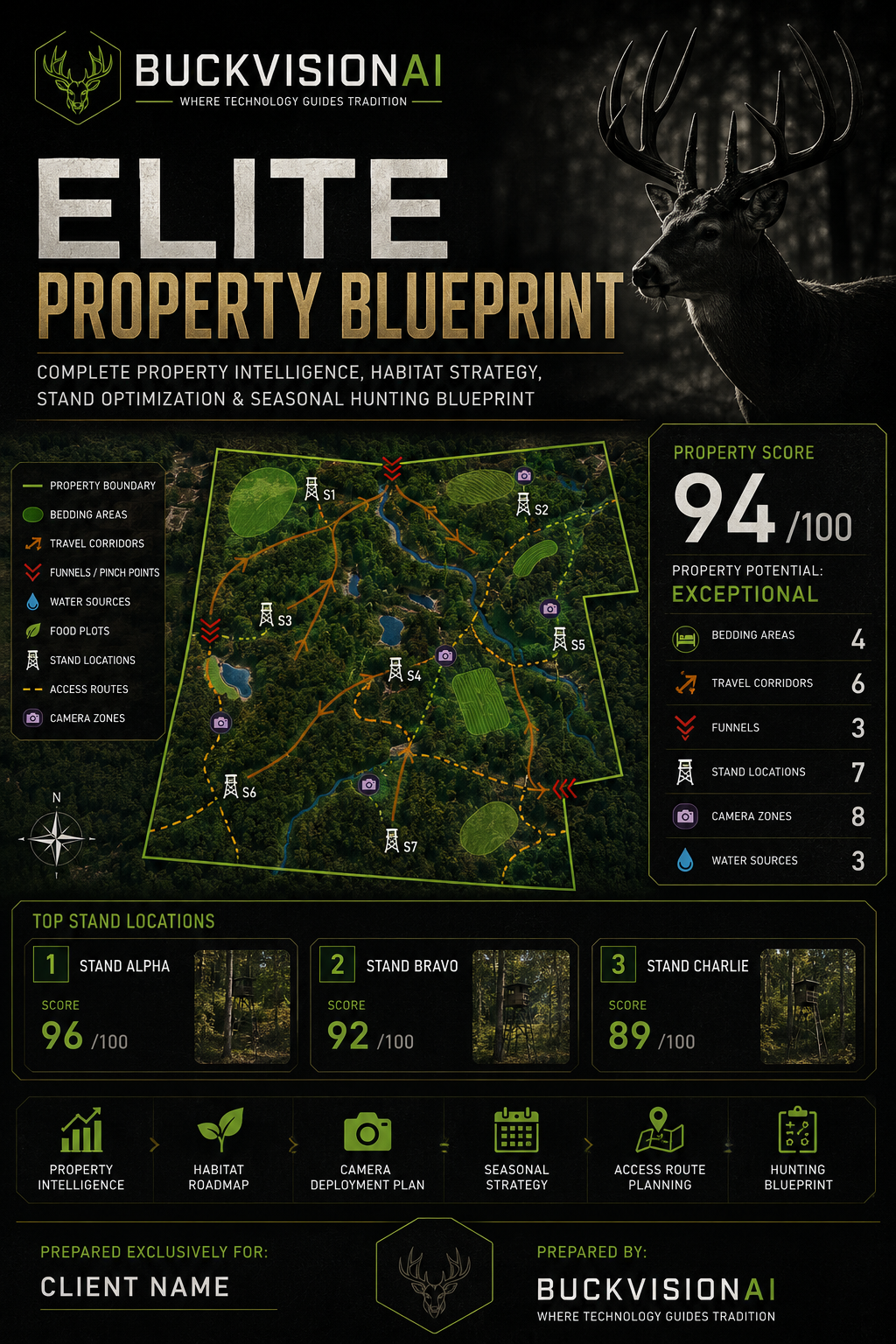
BuckVisionAI ecosystem infographic
BuckVisionAI land intelligence and drone mapping infographic
Built for real use cases

Who this site is speaking to.

Private land hunters

Turn known stands, camera locations, and property history into better daily decisions and clearer confidence.

Public land hunters

Scout faster, read terrain more efficiently, and narrow down where to hunt on unfamiliar ground with less wasted time.

Landowners and managers

Understand movement, pressure, habitat opportunity, and long-term property strategy in a more organized way.

Real hunting situations

How BuckVisionAI could help a hunter across the season.

Search engines and first-time visitors both need to understand what BuckVisionAI actually does in practical terms. These are the kinds of deer hunting scenarios the product is being designed to support.

Early season patterning

Use terrain, bedding-to-food movement, camera history, and low-pressure access routes to narrow down where a mature buck is most huntable before patterns shift.

Cold fronts and weather changes

Match stand choice, wind fit, timing windows, and likely movement changes to days when temperature drops or pressure shifts may improve opportunity.

Public land scouting

Speed up new-property scouting by highlighting ridge transitions, creek crossings, funnels, secluded access, and the kinds of overlooked terrain features hunters often miss.

Private land management

Organize trail camera trends, movement timing, stand history, habitat observations, and pressure patterns into a clearer long-term property strategy.

Stand access and exit planning

Reduce the chance of blowing deer out by thinking through wind exposure, entry routes, exit routes, and how a stand setup fits the specific day instead of relying on habit.

Better use of trail cameras

Move beyond just collecting photos. BuckVisionAI is intended to help hunters interpret timing, recurring movement, target buck behavior, and how camera intel should affect the next hunt.

FAQ

Questions people will likely ask right away.

Is BuckVisionAI just another mapping app?

No. BuckVisionAI is being built to interpret map layers, weather, movement, and trail camera information into clearer hunting decisions rather than simply showing more layers.

Can BuckVisionAI help on new property or public land?

Yes. A major use case is helping hunters scout unfamiliar ground faster, identify likely travel structure, and narrow down stronger stand options with less wasted time.

What is HuntScore?

HuntScore is the daily decision layer that is designed to summarize overall opportunity, stand fit, timing windows, and the main reasons a hunt setup looks stronger or weaker.

How does BuckVisionAI use trail camera data?

The goal is to go beyond photo storage by helping hunters interpret movement timing, recurring buck activity, target deer patterns, and how camera intel should influence the next sit.

Who is BuckVisionAI for?

BuckVisionAI is being shaped for whitetail hunters, public land hunters, private land hunters, landowners, managers, and outfitters who want clearer scouting and hunting decisions.

What makes the interactive demo valuable?

The demo makes the product easier to understand by showing screen-by-screen workflows, what each feature is meant to do, and what information is intended to support each recommendation.